A remote light control system consists of three essential components:
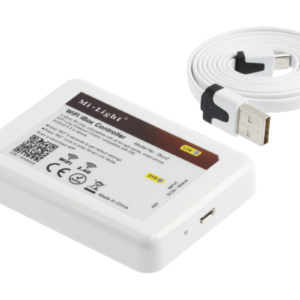
A Wi-Fi controller makes it possible to control the lighting from the application installed on your smartphone. This gives almost unlimited freedom, because each controller (transmitting voltage to the LED strip) can work with 4 control devices, for example, a touch panel, remote control and application on the phone at the same time.
To use the Wi-Fi controller, a free application should be downloaded (the download code is available on the product and in the manual) and a new account should be registered. Then, the controller should be connected to power supply using the included USB cable. The application will ask for Wi-Fi access (network name and password) and guide through the pairing process step by step.
A remote light control system consists of three essential components:
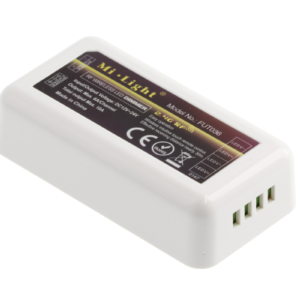
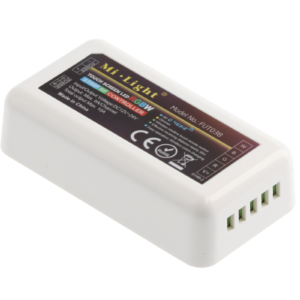
A single controller is one zone (up to 4 controllers can be paired in the control device), to which two light sources can be connected: LED strip or LED fitting.
Connecting the components to the controller is very simple. On one side, the cables from the LED driver (12/24 V) are connected. These must be cables with uninsulated ends. On the other side, there is a place to insert cables from light sources. Cables with uninsulated ends are also inserted here, remembering about the correct polarity.
After tightening all the terminals, the controller is ready to be paired with the control device.
The maximum load of the controller is:
A remote light control system consists of three essential components:
A single controller is one zone (up to 4 controllers can be paired in the control device), to which both RGB and RGBW LED strips can be connected.
Connecting the components to the controller is very simple. On one side, the cables from the LED driver (12/24 V) are connected. These must be cables with uninsulated ends. On the other side, there is a place to insert cables from the light source. Cables with uninsulated ends are also inserted here, remembering about the correct polarity.
After tightening all the terminals, the controller is ready to be paired with the control device.
The maximum load of the controller is:
A remote light control system consists of three essential components:
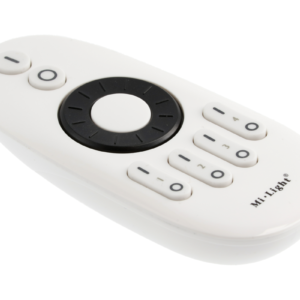
A remote control is one of the two available control devices. The remote control can be used to control 4 zones independent of each other. Many single controllers responsible for a single light point can be assigned to each zone.
The remote control is powered by two AAA batteries (not included in a set).
On the remote we will find:
Zone coding
It is necessary to determine to which zone of the remote control the controller is to be coded. Then we disconnect the power supply of the controller for at least 10 seconds. After reconnecting the power supply, the ON button of the selected zone should be pressed 3 times within 3 seconds. Correct pairing is signalled by the LED strip blinking 3 times.
To activate the night lighting function, that is, the maximum dimming of the LED strip, the OFF Master or OFF button of the selected zone should be held.
A remote light control system consists of three essential components:
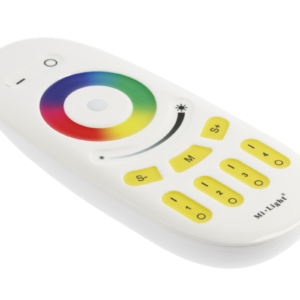
A remote control is one of the two available control devices. The remote control can be used to control 4 zones independent of each other. Many single controllers responsible for a single light point can be assigned to each zone.
A remote control is powered by two AAA batteries (not included in a set).
On the remote we will find:
Zone coding
It is necessary to determine to which zone of remote control the controller is to be coded. Then we disconnect the power supply of the controller for at least 10 seconds. After reconnecting the power supply, the ON button of the selected zone should be pressed 3 times within 3 seconds. Correct pairing is signalled by the LED strip blinking 3 times.
To activate the night lighting function, that is, the maximum dimming of the LED strip, the OFF Master or OFF button of the selected zone should be held.
To turn on white colour, the ON button should be held longer.
A remote light control system consists of three essential components:
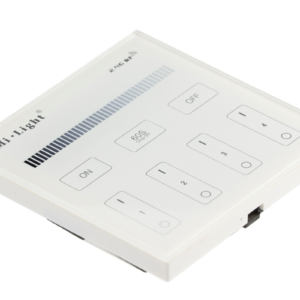
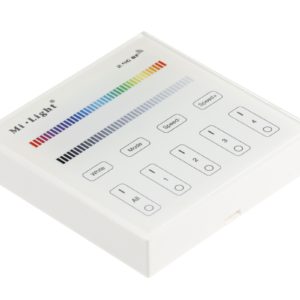
A touch panel is one of the two available control devices. The panel can be used to control 4 zones independent of each other. Many single controllers responsible for a single light point can be assigned to each zone. The panel is powered by two AAA batteries (not included in a set).
On the panel we will find:
Zone coding
It is necessary to determine to which zone the controller is to be coded. Then we disconnect the power supply of the controller for at least 10 seconds. After reconnecting the power supply, the ON button of the selected zone should be pressed 3 times within 3 seconds. Correct pairing is signalled by the LED strip blinking 3 times.
To activate the night lighting function, that is, the maximum dimming of the LED strip, the OFF Master or OFF button of the selected zone should be held.
The panel is mounted by screwing/sticking the mounting plate to the selected surface. The mounting plate has a built-in magnet to which the control panel is attached. This solution makes it easy to replace the battery.
A remote light control system consists of three essential components:
A touch panel is one of the two available control devices. The panel can be used to control 4 zones independent of each other. Many single controllers responsible for a single light point can be assigned to each zone.
The panel is powered by two AAA batteries (not included in a set).
On the panel we will find:
Zone coding
It is necessary to determine to which partition the controller is to be encoded. Then we disconnect the power supply of the controller for at least 10 seconds. After reconnecting the power supply the ON button of the selected zone should be pressed 3 times within 3 seconds. Correct pairing is signalled by the LED strip blinking 3 times.
To activate the night lighting function, that is, the maximum dimming of the LED strip, the OFF Master or OFF button of the selected zone should be held.
In order to turn on the white colour for the selected zone, the ON button of the selected zone should be held longer.
The panel is mounted by screwing/sticking the mounting plate to the selected surface. Then, the panel is inserted into the mounting plate.